GPSSimulator
Raw GPS spoofing is easy. Making it look like a real person ran that route is the hard part. GPSSimulator tackles that problem through realistic route shaping, natural pace variation, and a clean setup flow that makes simulation repeatable without friction.
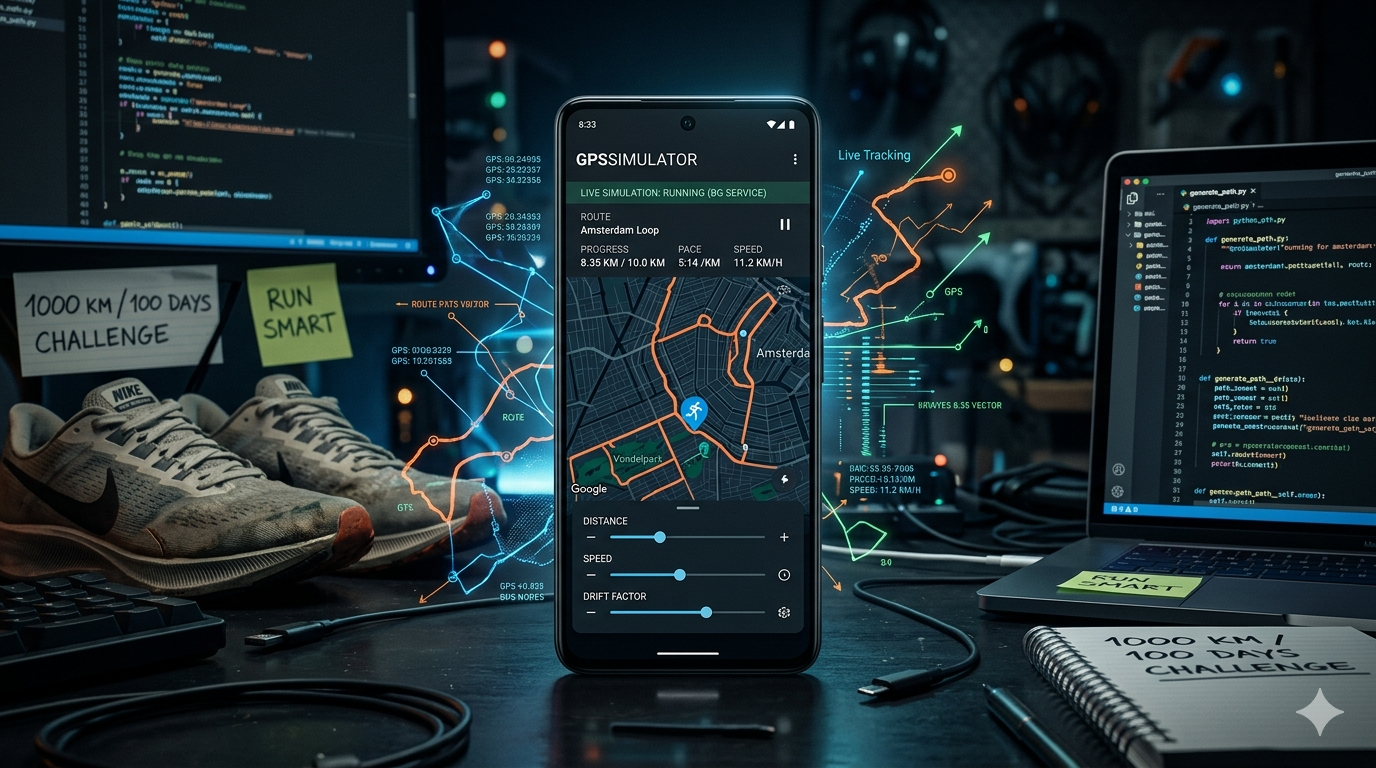
GPSSimulator
A GPS movement simulator for Android that produces human-like running behavior, not robotic coordinate jumps.
Raw GPS spoofing is easy. Making it look like a real person ran that route is the hard part. GPSSimulator tackles that problem through realistic route shaping, natural pace variation, and a clean setup flow that makes simulation repeatable without friction.
Why This Exists
I am a runner, and I have a strange relationship with running: I like it, but I also hate it at the same time. I am also the kind of person who likes to test systems, bend them, and figure out where they break. That mindset shaped this app.
The real trigger was a challenge in my running community: 1000 km in 100 days. I could realistically run or walk only three or four days a week, but the challenge kept moving every day. Keeping up with all seven days was hard. That pressure pushed me to build something that could make a fitness app think I was still moving in the background.
The first version was built around 2022. It had no real UI. It ran in the background and moved the location, which proved the idea was possible, but the result was rough. The movement was not accurate, the path looked robotic, and the speed sometimes changed in unrealistic ways. It worked just enough to prove the concept, but not well enough to feel believable.
In 2023, I kept improving it. Development got faster as AI tools became more useful, and I started rebuilding the project with a better interface and cleaner flow. The app became easier to understand and easier to use, but the core simulation still had problems. The location changes were inconsistent, the pace logic was unreliable, and the movement still did not look natural enough.
In 2026, I finally brought those older ideas together into something much closer to what I originally wanted. The map layer was improved and brought directly into the UI so movement could be seen clearly on the dashboard. The location system was reworked to be as accurate as possible. Pace control became adjustable from the interface. Distance setup became simpler. Route selection became easier to change and control. Most importantly, the movement itself became more human by changing slightly every few meters instead of following a perfectly straight line for long stretches.
The goal was never just to move GPS coordinates. The goal was to produce movement that looks and feels like a real person ran that route: natural drift, breathing pace variation, and a route shape that does not scream “generated by an algorithm.”
What It Does
GPSSimulator feeds mock GPS updates to Android through a foreground service, simulating a run along a generated or user-defined route. The simulation includes:
- Route drift: slight left/right lateral deviations so the path does not follow a mathematically perfect line.
- Pace variation: timing per segment floats around a user-defined base pace rather than locking every kilometer to the same speed.
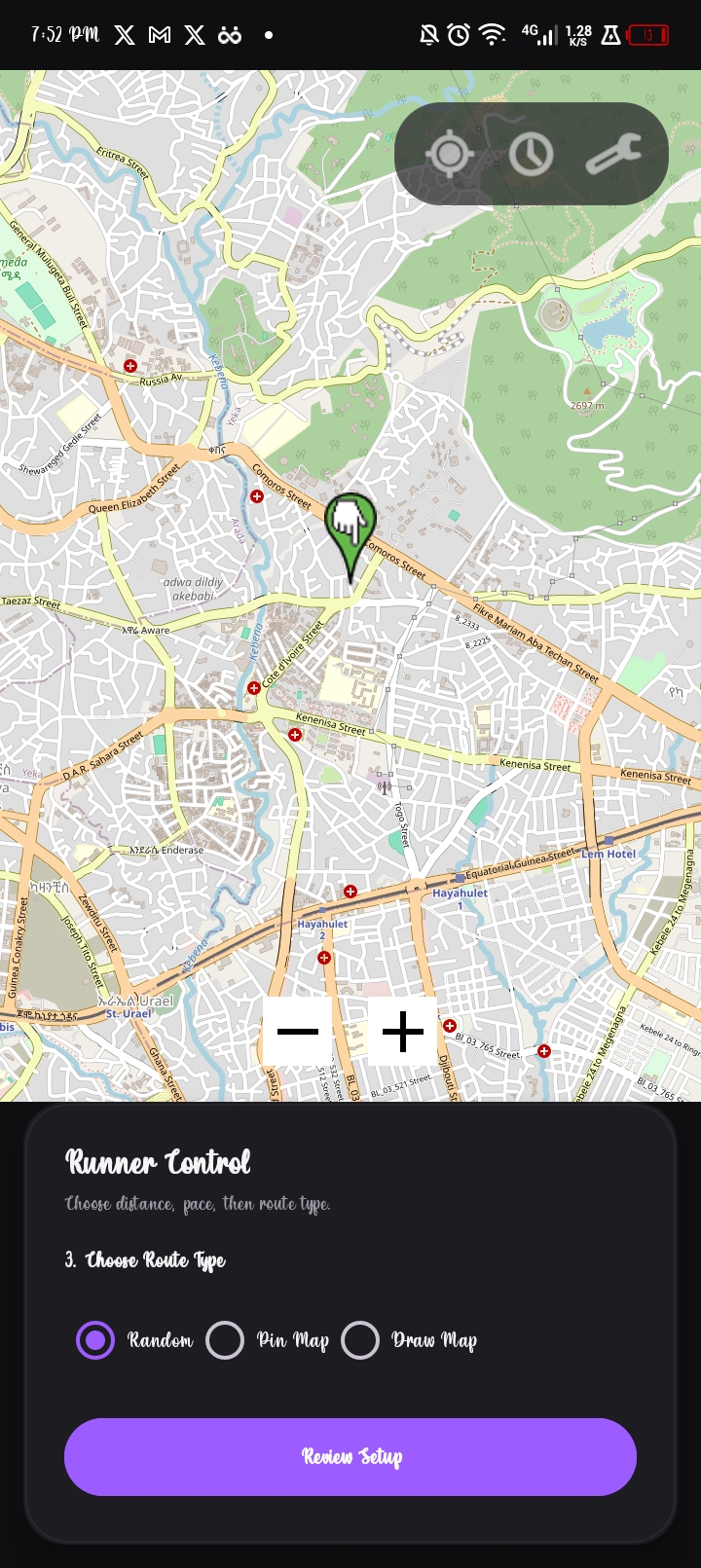
- Three route modes: random generation, map pin placement, or freehand drawing.
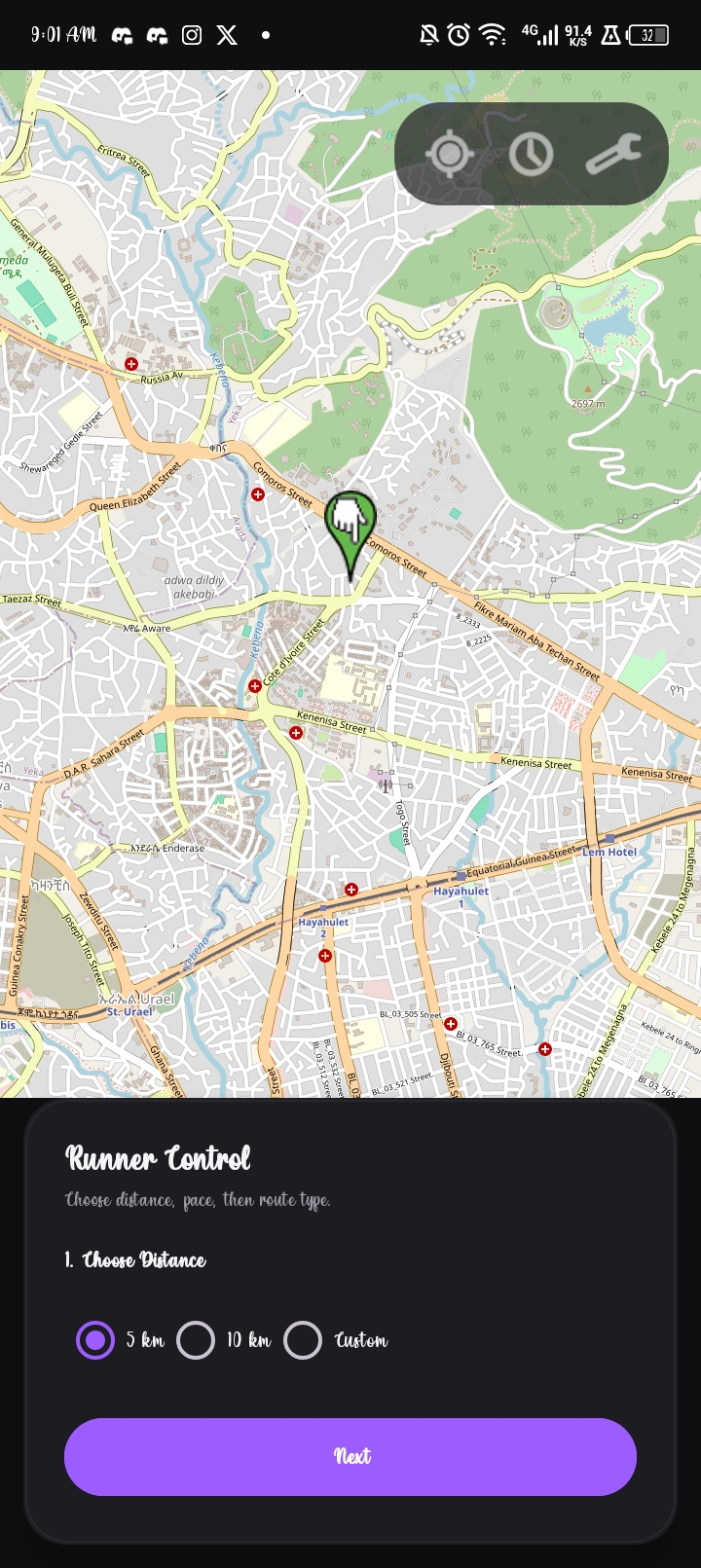
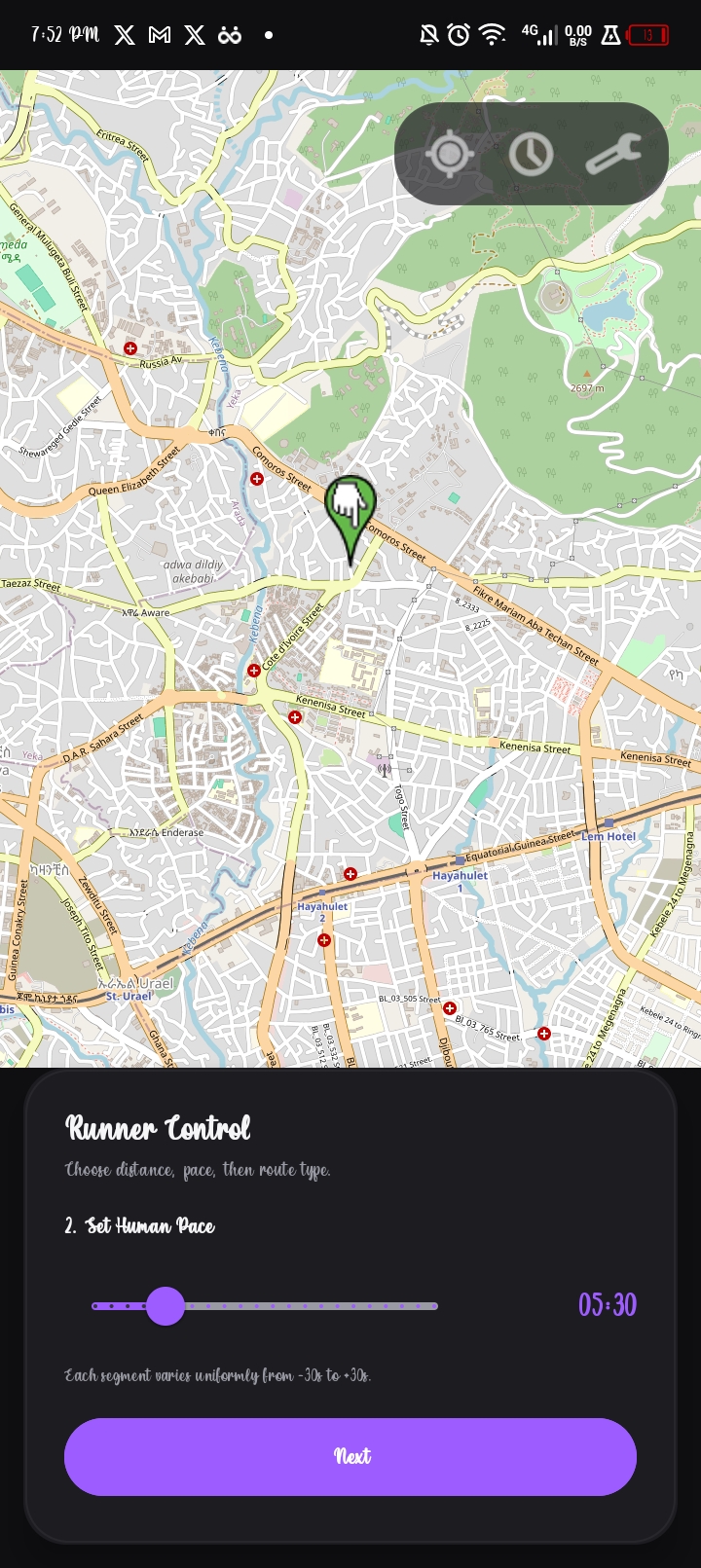
- A staged setup flow: distance, pace, route type, and review, each on its own focused screen.
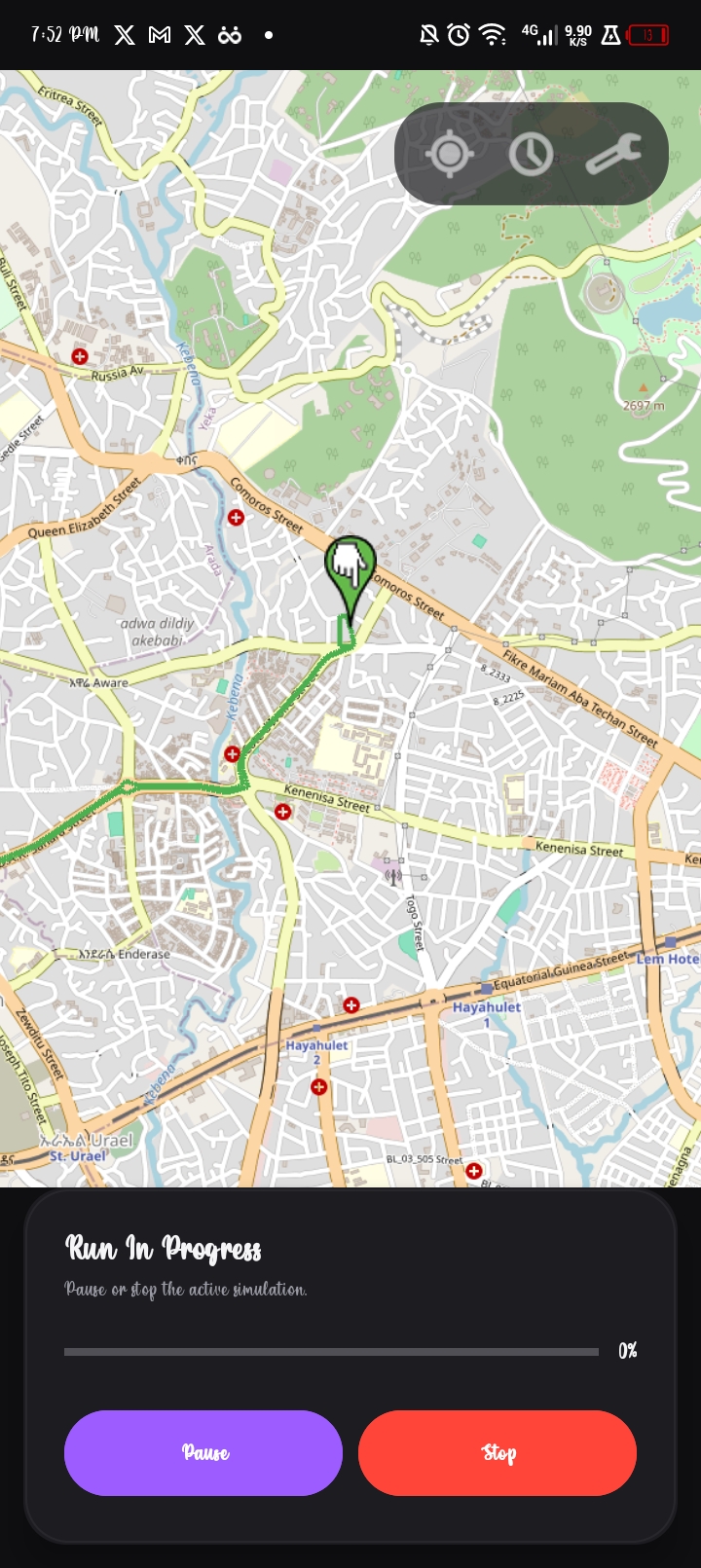
- A live process screen: shows the rendered route, live progress, and pause/stop controls.
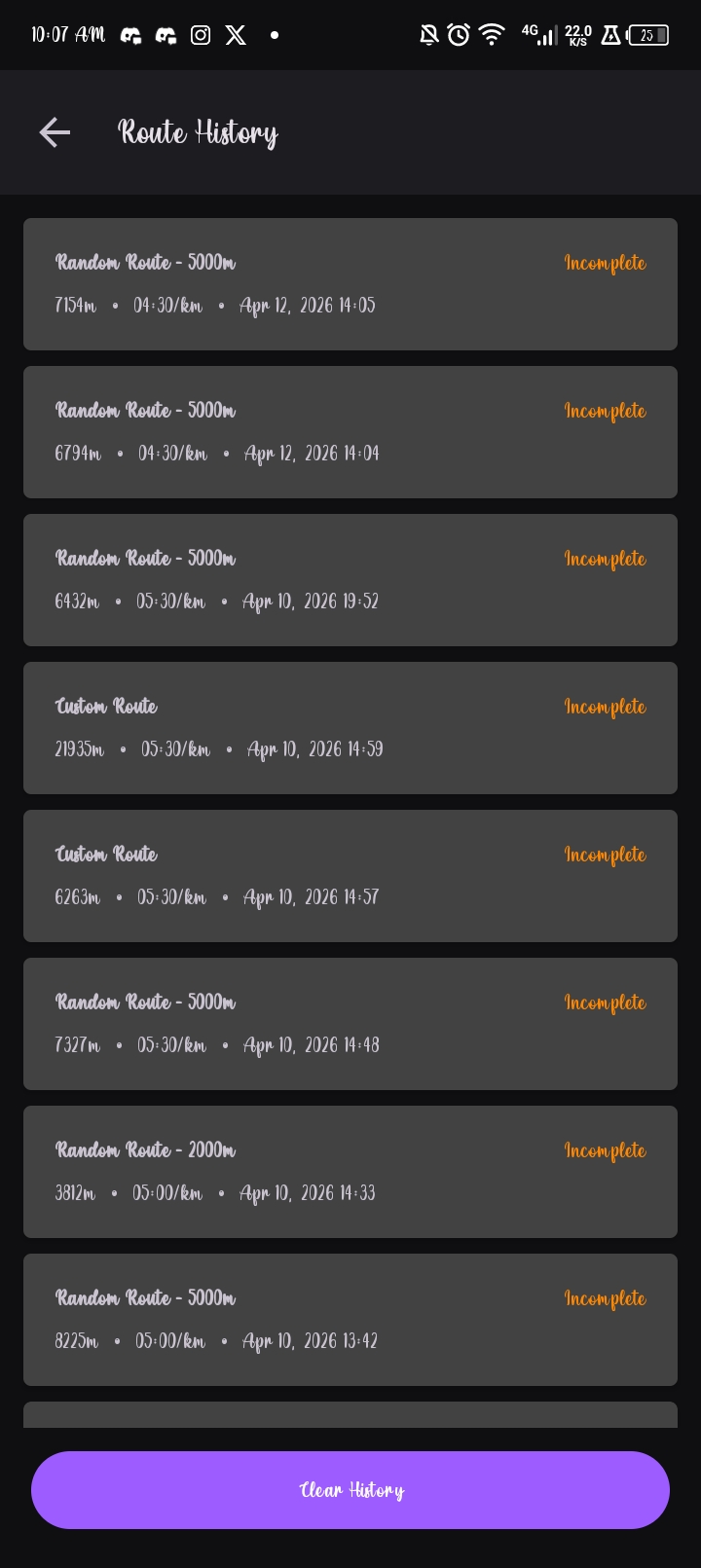
- Run history: completed and incomplete runs stored locally with metadata for later review.
Build Journey
This project took shape across several iterations:
- 2022: the first prototype worked in the background without a real UI. It could move location data, but accuracy was weak and the motion looked artificial.
- 2023: the app got a better interface and became easier to use, but the simulation logic still needed serious work, especially around pace consistency and believable movement.
- 2026: the major problems were finally addressed through better map presentation, improved location handling, adjustable pace input, cleaner distance setup, more flexible route control, and route drift that makes the movement look more human.
The biggest fixes were practical:
- Map quality: the map experience was upgraded so the route and live movement are visible directly in the interface.
- Location accuracy: the location update path was improved to make simulation output as accurate and stable as possible.
- Pace control: speed and pace input were made adjustable from the dashboard, with movement timing handled in smaller intervals for more believable behavior.
- Distance setup: kilometer input became more direct and easier to configure.
- Route control: route selection became easier to change, making the app more flexible and more user-friendly.
- Human-like movement: instead of moving in an unnaturally straight line for long distances, the route shifts slightly every few meters to create a more natural zig-zag pattern.
How It Works
- The user sets a target distance, a base pace, and a route mode.
MainViewModelpasses the request toRouteGenerator.- For random and pinned routes, the app fetches a route from OSRM and decodes the polyline.
WalkingPathEnhancerperturbs the route by adding sidewalk-style offsets and lateral drift.LocationSimulationServicestarts a foreground service and steps through the route viaRouteEngine.PaceEngineadjusts timing per segment, then the service pushes mock locations through Google Play Services and the Android test provider.- Room stores route metadata so every run, finished or not, appears in history.
Realism In Detail
Route Shape
A perfectly straight GPS trace is an immediate giveaway. WalkingPathEnhancer addresses this by:
- Applying a sidewalk-style lateral offset from the route centerline.
- Introducing small directional drift changes every few meters.
- Switching sides on out-and-back segments so the return path does not retrace the outbound line exactly.
The result is a route that looks like someone actually ran it rather than a line renderer produced it.
Pace Behavior
Constant speed across a full run is equally suspicious. PaceEngine uses the user’s base pace as a center point and varies each segment within a realistic window:
| Parameter | Value |
|---|---|
| Base pace | User defined |
| Fastest pace | Base - 30 seconds/km |
| Slowest pace | Base + 30 seconds/km |
| Runtime behavior | Random drift with smooth segment-to-segment adaptation |
The run breathes. It speeds up a little, slows a little, and never locks into mechanical uniformity.
Interface Design
Realism is not only about movement output. A confusing or error-prone setup flow breaks the experience before simulation even starts. The interface moved from a single crowded screen to a staged flow:
- Main screen: distance selection as the first and only focus.
- Pace screen: base pace input without distraction.
- Route screen: mode selection with map interaction.
- Review screen: summary before committing to the simulation.
- Process screen: active run with full map view, progress bar, pause, and stop.
- History screen: past runs with route type, distance, pace, and completion status.
Screenshots
Setup Flow
Simulation And History
UI Evolution
The original interface crammed all controls onto one screen. It worked, but setup felt dense and easy to misconfigure.
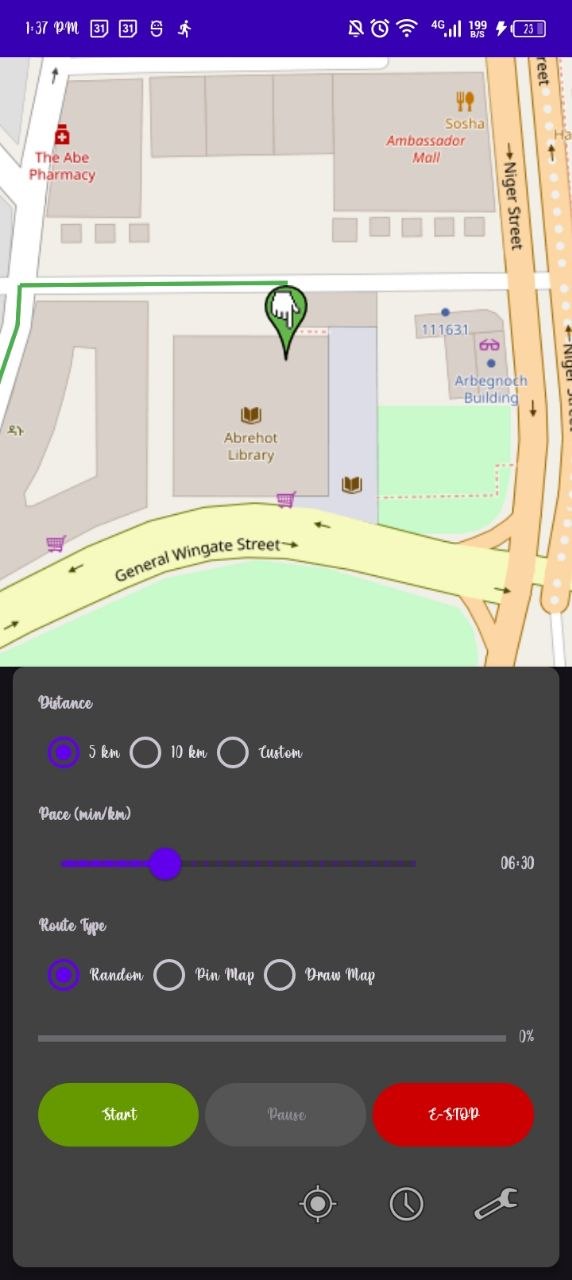
The redesign spread setup across dedicated steps, making each decision clearer and the overall flow easier to follow.
Technical Stack
| Layer | Technology |
|---|---|
| Language | Kotlin |
| Platform | Android (Min SDK 24, Compile SDK 34) |
| Mapping | OSMDroid / OpenStreetMap |
| Routing | OSRM via Retrofit |
| Persistence | Room |
| Async | Kotlin Coroutines |
| Architecture | Activity + ViewModel + Foreground Service |
Key Components
| Component | Responsibility |
|---|---|
RouteGenerator | Fetches and decodes OSRM routes |
WalkingPathEnhancer | Applies lateral drift and sidewalk offsets |
PaceEngine | Manages per-segment timing variation |
RouteEngine | Steps through route waypoints |
LocationSimulationService | Runs the foreground simulation and injects mock locations |
Installation
Prerequisites
- Android Studio with Android SDK 34
- A physical device or emulator with mock location support
- Developer Options enabled
- The app set as the active mock location app in Developer Options
Steps
1
2
3
4
5
# 1. Clone the repository
https://github.com/Abr-ahamis/GPSSimulator.git
# 2. Open the project in Android Studio
# 3. Let Gradle sync
# 4. Build and run the app module on your device or emulator
Before starting a simulation, go to Developer Options -> Select mock location app and choose GPSSimulator.
1
2
GPS-Simulator.apk
https://github.com/Abr-ahamis/GPSSimulator/releases/download/v1.0.0/GPS-Simulator.apk
Usage
- Launch the app and grant location permissions.
- Select a distance:
5 km,10 km, or a custom value. - Set a base pace in
min/km. - Choose a route mode:
- Random: generates a route from your current location.
- Pin Map: place waypoints manually on the map.
- Draw Map: sketch the route freehand.
- Review the summary and start the simulation.
- Watch the process screen for live progress. Pause or stop any time.
- Open History to review completed and incomplete runs.
Responsible Use
GPSSimulator is intended for development, UI prototyping, location testing, and movement simulation research. Do not use it to misrepresent physical activity where accuracy, trust, or compliance matters.
What Comes Next
- AI-based motion modeling trained on real runner behavior.
- Elevation simulation, traffic light pauses, and stride-level timing variance.
- Deeper integration with fitness ecosystems for testing and prototyping.
- Adaptive profiles that adjust behavior to the user’s preferred pace and style.
- Richer animations across the setup and progress experience.